

Skip to content

Content and images for WooCommerce

From manufacturer catalog to product description, after you approve it

Studio prepares product descriptions, Google titles and descriptions, articles, posts and images. It works with your store data and the materials you point it to.

You check and edit every result. It goes to your store or WordPress only after you approve it.

  • 14 days with no WooMate fee, no credit card
  • AI features run on your own API key. Usage is billed separately by the provider.

We'll help you connect your store and prepare your first piece of content. Free.

Five tools, one way of working

You choose what to create, give the minimum, check the result and send it to your store.

  • Product descriptions

    What you provide
    A product from your store, or a name and features. For many products, also a manufacturer catalog.
    What you get
    A short and a long description, a focus keyword, a suggested category and, optionally, a Google description.
    Where it goes
    The Library, then the product in your store. Series also to CSV.
  • Google visibility

    What you provide
    Products selected in the table.
    What you get
    Google titles and descriptions with a search result preview.
    Where it goes
    The Yoast or Rank Math plugin fields.
  • Blog article

    What you provide
    Type, topic, keyword. An outline is optional.
    What you get
    An article with a Google title and description, a page URL, FAQ and structured data.
    Where it goes
    WordPress, as a draft or published.
  • Post with image

    What you provide
    A product or article, a platform, a tone.
    What you get
    Up to 3 text variants, a link with UTM tags and, optionally, an image.
    Where it goes
    Your clipboard and a draft in the Library.
  • Product image

    What you provide
    A template, a product, one sentence about the image.
    What you get
    1–2 variants in the format you choose.
    Where it goes
    A file, the WordPress media library or the product.

Product description from a catalog

Specs from the manufacturer catalog go into the description without retyping

Studio looks for that exact model in the catalog and takes data only from its section. Here's a real description of a Defro boiler.

  • Only the exact model. A spec from the neighboring model won't end up in the description
  • A short and a long description, focus keyword, category and Google description
  • Data notes show what the AI couldn't confirm
Product descriptionsManufacturer catalog

Product from your store

Defro Komfort Eko Mini coal pellet boiler
Defro catalog
  1. Searching the catalog for exactly “Komfort Eko Mini”
  2. Taking only the section with this model: 6 power options
  3. Writing a short and a long description with the specs
  • Fuel: pea-size hard coal, 5-25 mm (eco-pea coal)
  • Power ranges: 3.3-11.1 kW (11kW), 4.4-15.1 kW (15kW), 5.8-20.1 kW (20kW), 6.9-24.1 kW (24kW), 8.7-30.0 kW (30kW), 11.7-39.9 kW (40kW)
  • Efficiency at rated power: 90.3-90.7%
  • Energy efficiency class: B
  • Maximum operating pressure: 1.5 bar
  • Warranty: 5 years on heat exchanger tightness, 2 years on other parts
  • Available in: 11kW, 15kW, 20kW, 24kW, 30kW, 40kW

A real result from the Termo Expert store: the Defro batch from April 29, 2026, Haiku 4.5. The long description has 9 sections and 931 words.

Description series

100 descriptions in one batch, at half the price

You start a batch, close the tab and get back to your work. The descriptions wait for your review before anything reaches your store.

  • A list from a Google Sheet, a CSV or Excel file, or typed in by hand
  • A test on 1 product before running the whole list
  • Half the price of regular generation
  • You retry only the errors, and download everything as CSV
Batch: DefroDone
  1. Catalog
  2. Product list
  3. Test on 1 product
  4. Batch in background
  5. Review and send
52 / 52descriptions ready
  • Defro DCG SMART – 2F 24kW Condensing Gas Boilershort and long description
  • Defro DCG COMFORT 25 – 1 F – GLASS Condensing Gas Boilershort and long description
  • Defro DHPi MONOTEC 12 kW Heat Pump + DFi Hydro Moduleshort and long description
  • Defro DHP PREMIUM 12 kW Heat Pump + HB Hydro Moduleshort and long description
  • Defro DHP PREMIUM 8 kW Heat Pump + HF Hydro Moduleshort and long description
  • Defro DRX PLUS V 300 Heat Recovery Unitshort and long description

A real batch from April 29, 2026: 52 Defro products, Haiku 4.5. The demo is sped up; a background batch takes up to 24 hours.

777 descriptions in 21 batches in the Termo Expert store

  • Atmos 273
  • Defro 234
  • KHT 130
  • Lazar 43
  • Termica 35
  • Pieszewski boilers 29
  • Air conditioners 28

Google visibility: meta title and meta description

New meta titles and meta descriptions where the traffic is already waiting

This is the text Google shows in search results: the blue title and the two lines of description under it. Search Console points to products with many impressions in positions 4–20. You select up to 50 at a time and get meta titles and meta descriptions ready to save.

  • Potential next to each product: impressions and average position
  • Character counters: meta title 50–60, meta description 140–160
  • Saved to the Yoast or Rank Math fields after you approve. The product name and description in your store stay the same
Google visibilitySearch Console
  1. Meta titleKamen WDS Coal Boiler 10-32 kW | Termo Expert 45/60

    Meta descriptionKamen WDS coal boiler, 10-32 kW, 91% efficiency, emission class 5. Bottom combustion, Ecodesign compliant. Check the available variants and price. 146/160

Google preview: meta title and meta description

termo-expert.com.pl › produkt › kociol-na-wegiel-kamen-wdsKamen WDS Coal Boiler 10-32 kW | Termo Expert

Kamen WDS coal boiler, 10-32 kW, 91% efficiency, emission class 5. Bottom combustion, Ecodesign compliant. Check the available variants and price.

Real suggestions for the Termo Expert store: 43 products for $0.12 in total, Haiku 4.5.

Impressions and positions in the demo are examples.

Product image

One sentence gets you an image with price and logo in 4 formats

The AI paints only the background, in your brand colors. The product photo and logo stay original, and Studio takes the name and price from your store.

  • Original photo and logo, no redrawn lettering
  • Post, story and banner from one design, with no extra AI run
  • You change the text and price without AI, for $0
  • From $0.04 per image, depending on the model
Product imageProduct spotlight

Product from your store

Defro Komfort Eko Mini coal pellet boiler

What goes on the image

This boiler is in stock, delivered within a few days

  1. The AI paints the background in your brand colors
  2. I place the original photo from the store
  3. I add the logo, name and price from the store

Secondary text

In stock, delivered within a few days

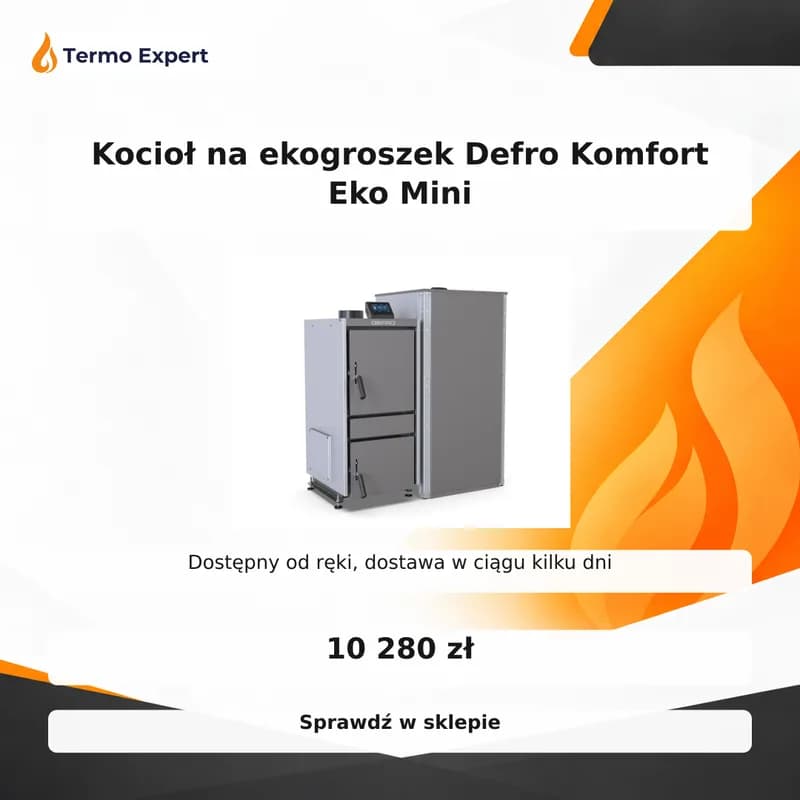
1:1 image from WooMate Studio: Defro Komfort Eko Mini coal pellet boiler, price and store logo
1:1 · post · background from Studio for Termo Expert, layers composed by WooMate

Facebook and Instagram post

Two post variants for $0.03, with a link you can track in Analytics

Studio writes posts from product data and adds a link with UTM tags. What it can't confirm in the data, it won't write. See a real result.

  • Up to 3 variants: customer problem, benefit, fun fact
  • UTM tags in the link, so you see sales from the post in Analytics
  • Notes on missing data instead of made-up promises
Post with imageFacebook

What you're promoting

Metal-Fach GRAND PELLET pellet boiler

🔥 Feeding the boiler by hand, watching the fire, cleaning the heat exchanger… If you're tired of that routine, a pellet boiler with automatic controls is worth a look.

The Metal-Fach GRAND PELLET feeds itself and keeps itself clean:

✅ Automatic pellet feeder with the PLATINUM PELLET controller

✅ Automatic ash removal and heat exchanger cleaning

✅ Class 5 and EcoDesign (class 5 is currently the highest emission class in the standard for solid fuel boilers)

Efficiency: 90.5–93% (depending on the model). Choose from 14 power options, from 15 to 500 kW, so it fits a home as well as a commercial building. Boilers from 70 kW are made to order with a custom quote.

👉 Check the power options and specs at Termo Expert: termo-expert.com.pl/produkt/kociol-na-pellet-metal-fach-grand-pellet/?utm_…

Not sure what power you need? Tell us in the comments how much space you heat, and we'll tell you where to start.

  • utm_source=facebook
  • utm_medium=social
  • utm_campaign=kociol-na-pellet-metal-fach-grand-pellet

Notes on missing data

  • The materials don't include the GRAND PELLET price, availability or any promotions, so I didn't use those claims.
  • I left out the “lowest prices in Poland” slogan because there's no data to back it up for this product.
  • There's also no information on which power suits which floor area, so the CTA invites questions instead of giving that kind of guidance.
Termo Expert · Sonnet 5.5 · $0.03 for 2 variants

Blog article

An article straight to WordPress, with FAQ and structured data

You give the topic and keyword. Studio writes an outline and, after your edits, the full text based on your store data and Search Console.

  • 5 types: blog post, ranking, comparison, review, analysis
  • From 800 to 3,000 words, and you edit the outline before writing
  • Draft or published in WordPress after you approve
Blog articleWordPress
Type
Blog post
Topic
How to choose a heat pump for a 1,600 sq ft home
Focus keyword
heat pump for home
Length
about 1,500 words
Sources
products from the store, Search Console
  • OutlineH2 and H3 headings with notes, to edit before writing
  • Contentheadings, lists and tables with your products' specs
  • Internal linksonly to products and posts you point to
  • Google title and description50–60 and 140–160 characters
  • Page URLshort, without special characters
  • FAQa “Frequently asked questions” section
  • Structured dataBlogPosting and FAQPage, validated before saving
  • WordPressdraft or published, featured image from the gallery
A demo of the output layout. The content depends on the topic and your store data.

Brand, versions and control in one place

  • Your brand, saved once

    Brand Kit: tone, approved facts and what you don't promise. Every tool writes in that style.

  • Every version is kept

    The Library compares versions: added words in green, removed ones struck through.

  • Nothing without your approval

    The Changes screen shows before and after. You approve or undo with one click.

  • Results after publishing

    Clicks and position from Search Console before and after the change, over equal periods.

What AI costs in Studio

You pay the AI provider with your own key. You see the cost under every result, and you set the monthly limit yourself.

  • $0.03

    2 Facebook post variants

  • $0.12

    Google titles and descriptions for 43 products

  • from $0.04

    product image, depending on the model

  • −50%

    background description batch vs regular generation

  • $0

    the full set of 4 formats and changing text on an image

Costs from our Termo Expert store. Your AI provider's bill is the final account. Free trial: 1 store, 20 products in Studio and 10 images.

Questions before you start

Does Studio change content in my store on its own?

No. You save descriptions, SEO fields and articles after approving them. You copy posts and publish them yourself: WooMate doesn't publish to Facebook or Instagram.

What do I need to get started?

A Pro, Pro Lifetime or Agency plan, or the free trial. For text, an Anthropic or OpenAI key; for images, Gemini or OpenAI. Description batches require an Anthropic key, a catalog and a connected store. You can send an article to WordPress with an application password; without one, you copy it.

Can I upload a scanned catalog?

Run the scan through text recognition (OCR) first. Studio reads PDFs with text and XLSX, XLS and CSV files up to 20 MB.

What if the catalog doesn't include my model?

No description is created. Studio doesn't fill in specs from a similar model: it asks for a different name or a different document, and the trial allowance goes back to your account.

Does the Google Sheet have to be public?

Yes. Studio fetches it through public sharing. You can save the column mapping for next time.

Does Studio guarantee higher rankings in Google?

No. It shows where improvements have the most potential and, after publishing, compares clicks and position. Results also depend on demand, season and traffic across your whole site.

Does deleting an image remove it from WordPress?

No. The image disappears from the gallery, and the copies in WordPress stay.

Which models does Studio use?

For text, Claude or GPT; for images, Gemini or GPT Image. Description batches run on Claude models.

Try Studio on one product

Pick a product that needs a description, an image or a better Google title. You'll see the result before saving.

Onboarding happens by email. We reply to requests within 24 hours.

Have a question? Write to us

Ask whether WooMate can handle your store, your catalog or a specific task. We reply personally, usually on the same business day.

  • Reply within 24 hours
  • No account needed
  • You can also email hello@getwoomate.com