
Ads and break-even point
How to read Google Ads and Meta results and campaign verdicts.
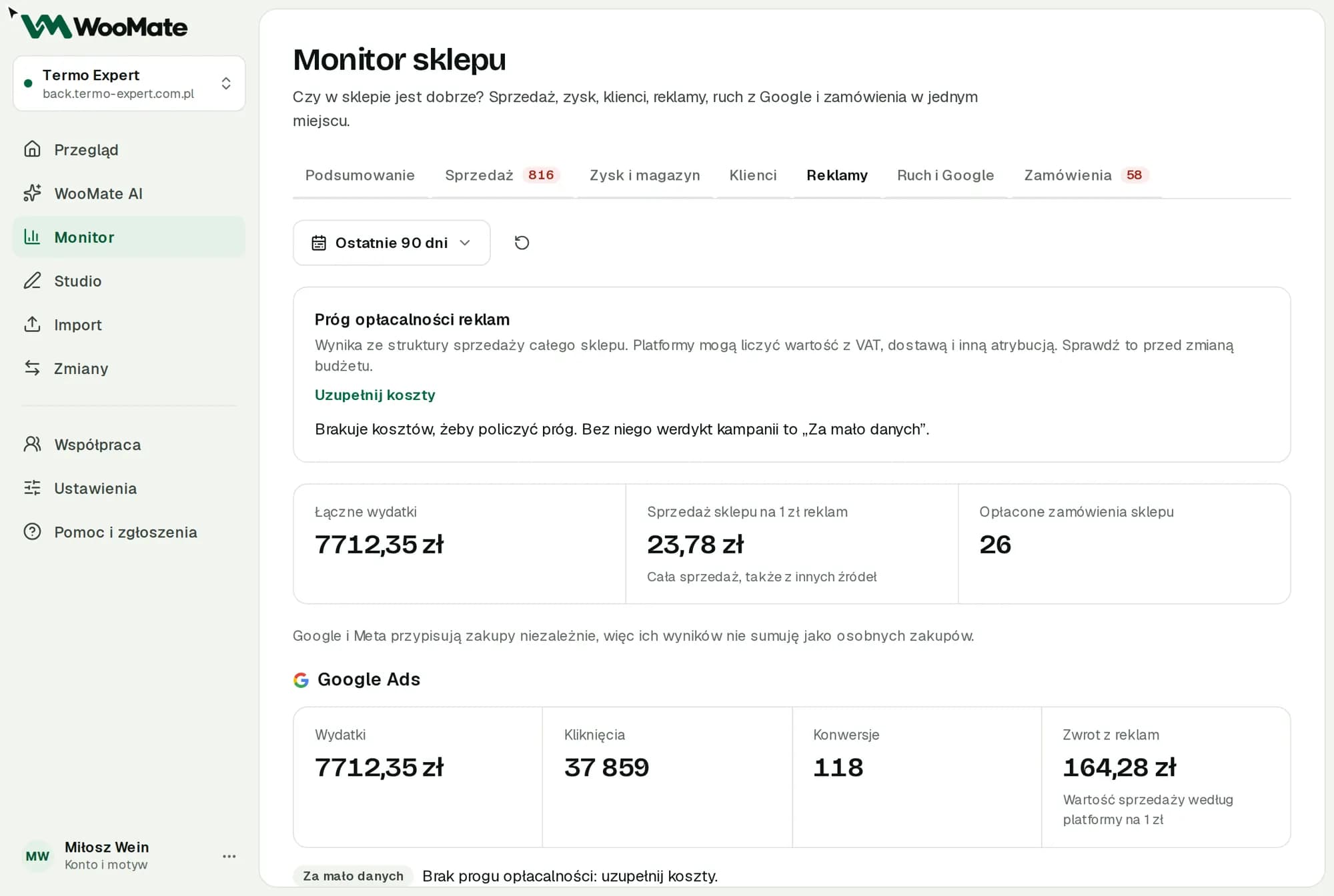
The Ads tab puts your Google and Meta spend side by side with your store's sales.
What you need first
A connected Google or Meta account with an ad account selected. For the break-even point, you need costs from the Profit and stock tab.
What you'll see
- Total spend, Store sales per $1 spent on ads, Paid store orders
- platform results: Spend, Reach, Clicks, Conversions, Return on ads
- Campaigns with a verdict
- Top keywords
- Proposed campaign changes
Google and Meta attribute purchases independently, so WooMate doesn't add them up as separate purchases.
Limitations
- You change campaigns in Campaign management. WooMate doesn't create new campaigns.
- An ad account in a different currency than your store gets the Not enough data verdict.
Break-even point
The break-even point tells you how much net product revenue each $1 spent on ads needs to bring in. It's based on the sales mix of your whole store. Platforms may count value with tax, shipping and different attribution, so check this before changing a budget.
Verdicts
| Verdict | Meaning |
|---|---|
| Profitable | Return above the break-even point |
| Borderline | Return close to the break-even point |
| Losing | Return below the break-even point |
| Not enough data | No spend, fewer than 5 conversions, no break-even point or a different account currency |
Related articles
Can't find the answer? Write to hello@getwoomate.com or request free onboarding help.